Official Zinga's Guide: Gift-A-Pult and Yulefest Tree feature

Help Kris Kringle deliver his gifts using the Gift-A-Pult! The Gift-A-Pult lets you send gifts to friends, and in turn they can launch some to your as well. Also, you'll be able to place all your gifts under your new Yulefest Tree - the more you receive the larger your tree will become (presents are like Fertilizer for Yulefest Trees).
How it works:
After placing your Yulefest Tree and constructing the Gift-A-Pult, you'll be able to send and receive gifts! On the 25th of December you'll be able to open your gifts and see all the awesome things you received!
The Yulefest Tree
Once you receive enough of one gift, you'll unlock the next one and be able to send that one to your neighbors. (You may purchase gifts for yourself at any time by with Crowns.) Once you've unlocked the next gift, your Yulefest Tree will also upgrade!
View your gifts by clicking on your Yulefest Tree.
 The Gift-A-Pult
Launch the gifts that you've unlocked to your neighbors by using the Gift-A-Pult. The more gifts you receive, the more you'll unlock and be able to send to your friends, but don't worry, you won't lose any of your gifts by sending any to your neighbors.
You can access the presents to send by clicking on the Gift-A-Pult.
In the Gift-A-Pult window, you can send gifts by clicking on the "Send Gifts" button below each unlocked gift. Once you've launched some gifts, a cool-down timer will appear before you may send more of that particular gift. (You can still send another unlocked gift if you haven't already done so within the time period for it.)
To see what items you might receive from each gift, just hover the mouse over them to see the description.
Q: How do I know what I'll receive from each gift?
A: If you hover your mouse over each gift under the Yulefest Tree tab you'll see that you have a chance to receive various items for each gift. (Don't shake your presents!)
Q: Will I lose my gifts by sending some to friends?
A: Nope! It's magic, just like gifts you made in the Gift Shoppe.
Q: I have all the previous gifts required for the next gift, but my tree has not grown, why?
A: It may take a short while for your tree to grow after receiving the required gifts. Switching between tabs or refreshing may help clear this up.


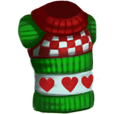


 You can craft there 4 type of items, and each gives you a different number of gifts for Kringle's bag:


